

|
Command or action |
Shortcut keys |
|
Change active axis of rotation (equipment objects) The default axis of rotation is the Z-axis. |
Up Arrow key |
|
Component or folder name change |
F2 |
|
Copy |
CTRL+C |
|
Define workspace |
CTRL+W |
|
Delete objects |
DELETE |
|
Edit locate filter |
CTRL+E |
|
End a process |
ESC |
|
Fit all views |
Hold SHIFT+A, and click Fit. |
|
Help |
F1 |
|
Hyperlink |
CTRL+K |
|
New workspace |
CTRL+N |
|
Open workspace |
CTRL+O |
|
Pan |
CTRL+SHIFT+P |
|
Paste |
CTRL+V |
|
PinPoint display on or off |
F9 |
|
PinPoint target move |
F12 |
|
PinPoint – unlock rectangular or spherical coordinates |
F6 (E or absolute distance), F7 (N or horizontal angle), F8 (EL or vertical angle) |
|
Previous View |
ALT+F5 |
|
|
CTRL+P |
|
Shortcuts Refresh Workspace |
F5 |
|
Rotate about the current active axis (equipment objects) |
Left and Right Arrow keys |
|
Route in fast mode |
SHIFT+F |
|
Route plane lock by turn or branch |
CTRL+4 |
|
Route plane lock by three points |
CTRL+5 |
|
Route plane lock to EL east-west |
CTRL+2 |
|
Route plane lock to EL north-south |
CTRL+3 |
|
Route plane lock to no plane |
CTRL+6 |
|
Route plane lock to Plan |
CTRL+1 |
|
Save |
CTRL+S |
|
Select All |
CTRL+A |
|
Selected objects do not move with the pointer during the Move command |
F10 |
|
Shortcut menu for interface component (to open session file in Windows Explorer, dialog box, Workspace Explorer, etc.) |
Right-click |
|
SmartSketch locate surface |
F3 |
|
SmartSketch lock constraint |
CTRL+L or click middle mouse button or wheel |
|
SmartSketch select mode on |
CTRL+D |
|
Start a command or confirm (OK) a dialog box |
ENTER |
|
To Do List |
CTRL+T |
|
Undo |
CTRL+Z |
|
Zoom |
CTRL+SHIFT+Z |
此外,在命令执行过程中还支持一些比如alt+F,alt +h等快捷键。
本文主要介绍在添加管件过程中的首字母定位方式。
首先,等级中元件比较多的时候,我们可以直接通过键盘上首字母来快速定位。
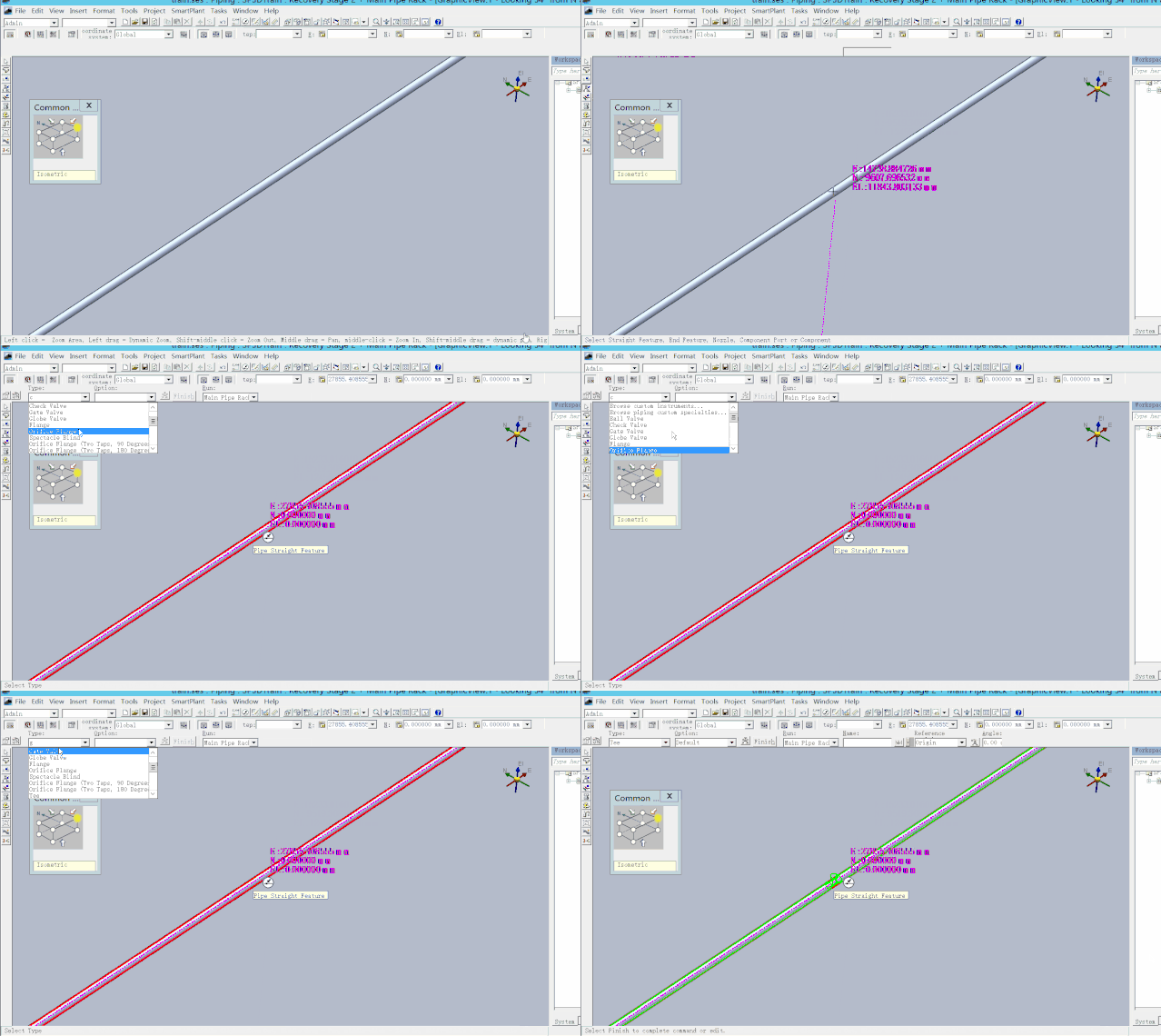
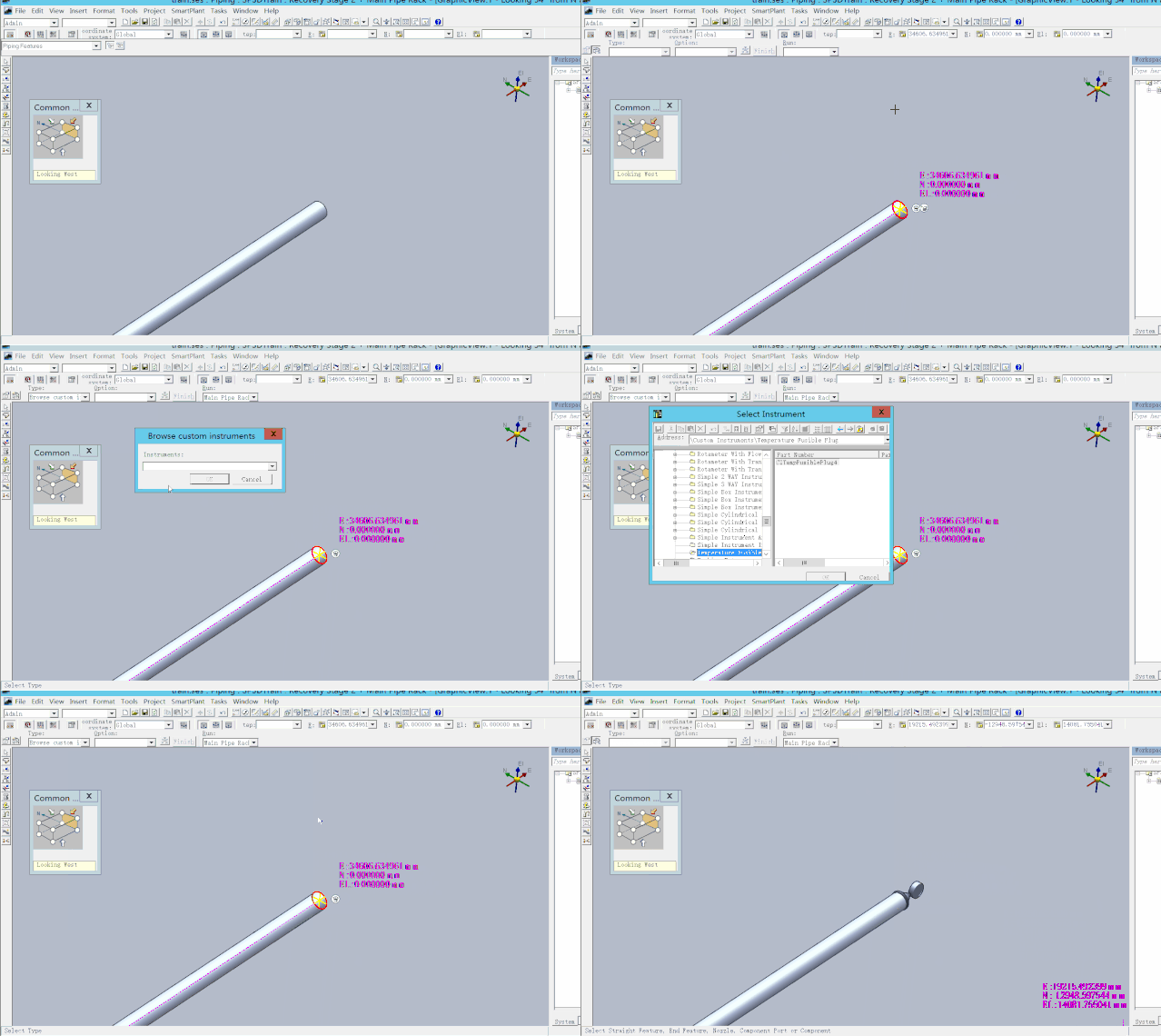
其次,在插入一些仪表件,特殊件时也可以通过首字母来快速找到合适的元件。(通过首字母“T”,快速找到simple indicator)

您需要登录 或注册 后才可以发表评论。