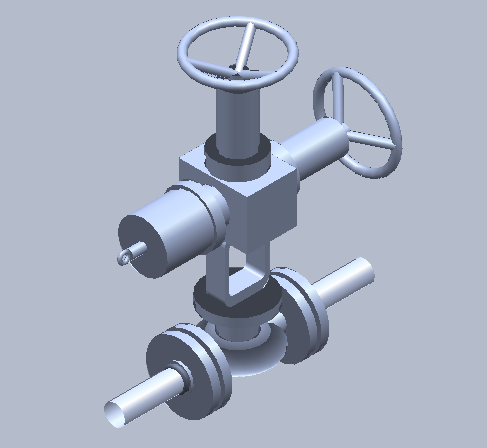
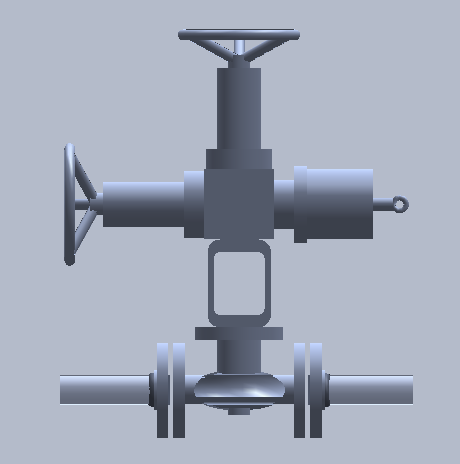
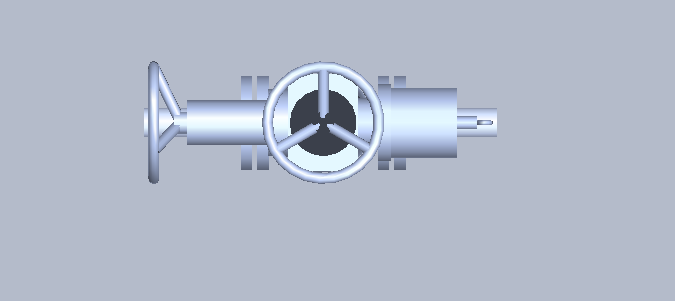
在Smart3D软件中,软件把阀门分成了阀体和执行机构两部分。利用阀体和阀柄不同的组合,完成多种符号的扩展。
本文主要说明一下,阀柄附件的设置。阀柄选项中,我们有一种可以称之为复合执行机构的,比如电动阀柄多一个手轮,链传动等等。
MultiportOperators Operator
Objective
After completing this lab, you will be able to:
· Add multiple operators to a valve
· How to download sample data and content fromSmart Support
· How to register symbols downloaded from SmartSupport
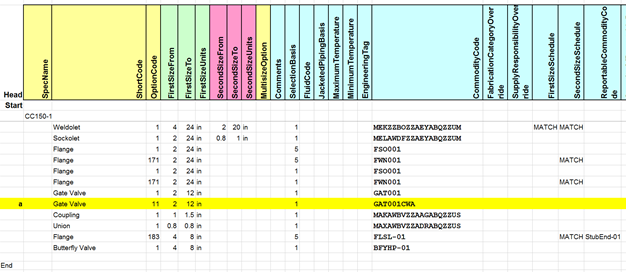
1.Open the CC150-1.xls file and add the followingentry to the Piping Commodity Filter:
2. Add the following entry to the Piping CommodityMaterial Control Data:
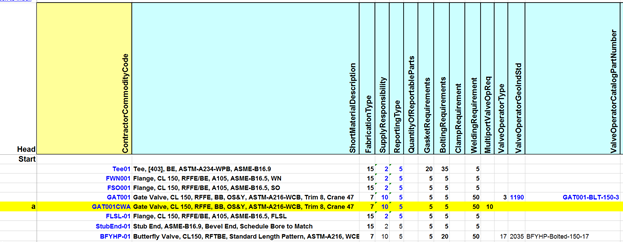
3.Add the following entries to the Valve OperatorMaterial Control Data:
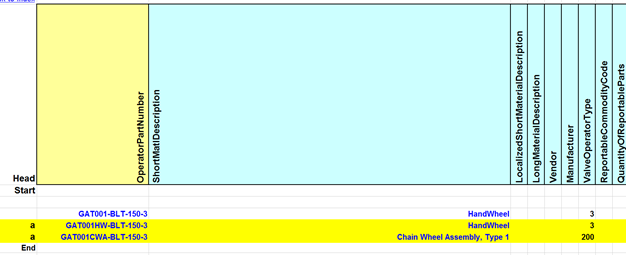
4. Add the following entries to the Multiport ValveOperator Data:
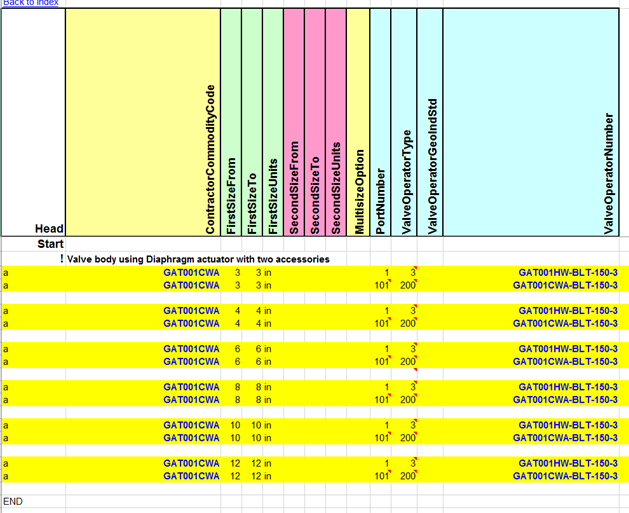
5. Download the latest sample data and content fromsmart support for Piping 2014 & 2014R1
6. After downloading and unzipping the folder, findthe following .dll symbols and place them into the Custom Symbols Folder ofyour shared content:
a. SP3DGateValve.dllwhich can be found at ValvesLinear ValvesGate Valve
b. SP3DOPHandWheel.dllwhich can be found at ValvesManual OperatorsHandwheel
c. ChainWheelAsm.dllwhich can be found at ValvesValve AccessoriesChain Wheel Assembly
7. In the same folder locations mentioned above,find the following .gif files and place them into the SymbolIcons folder ofyour shared content:
a. SP3DGateValvePDB2256.gif
b. SP3DOPHandWheelDB50.gif
c. ChainwheelAsmDB97.gif
8. Open Project Management from the Start Menu
9. Right click on the Catalog Database that youhave been bulkloading in and select the “Update Custom Symbol Configuration”and wait until the symbols have been registered
10. Find the sample data sheet for the gate valveswhich can be found at ValvesLinear ValvesGate Valve. Find the sample datasheet for the GateValvePDB2256 and copy that sheet into your CompanyCatalog.xlsfile.
11. Find the sample data sheet for the handwheeloperator and the chain wheel assembly which can be found at Sample DataValveAccessories. Find the sheets named OP_HwDB50 & ChainWheelAsm01 and copythem into your CompanyCatalog.xls file.
12. Add the following entries to theCustomInterfaces sheet into your CompanyCatalog.xls file:
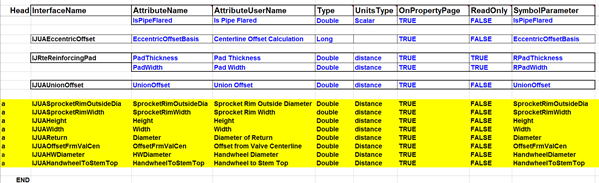
13.Add the following entries to theGateValvePDB2256 sheet as seen in the screen shots below:
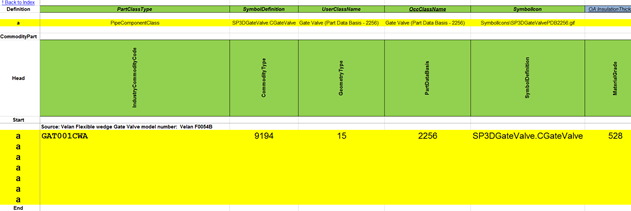
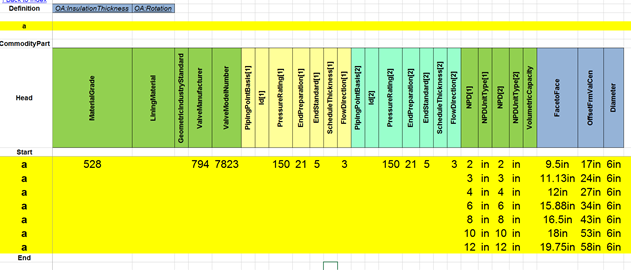
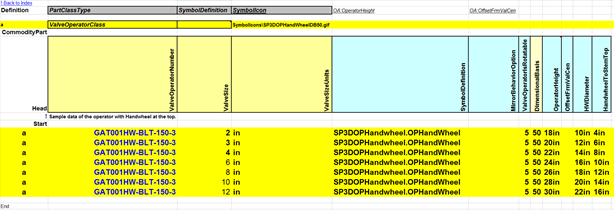
14. Add the following entries to the OP_HwDB50 sheetas seen in the screen shot below:
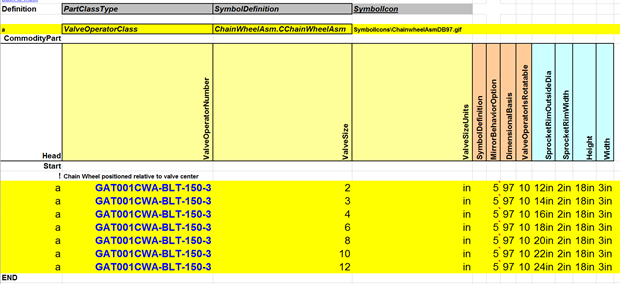
15.Add the following entries to the ChainWheelAsm01sheet as seen in the screen shot below:
16. Save the CC150-1 and the Company Catalogworkbooks and bulkload them into your catalog in the Add/Modify/Delete recordsin existing catalog mode:
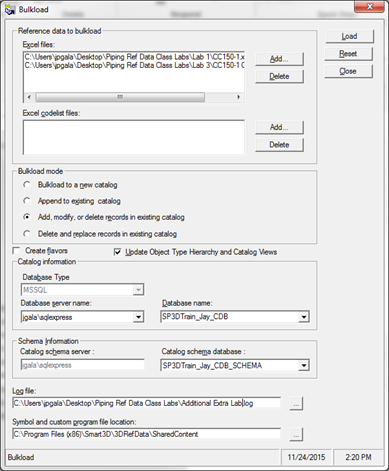
17. Check the bulkload log file to make sure thatall parts & part classes were added successfully to the catalog.
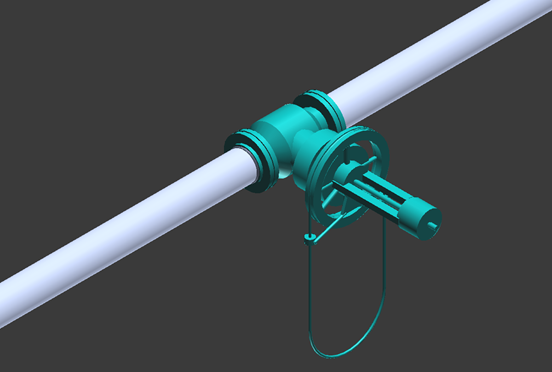
18. Open up 3D and model a 6” piece of pipe and tryto place a “Gate Valve” on the pipe. Make sure that you change the option codeof the Gate Valve to Type 1 since the Gate Valve with the dual operator isdefined as Type 1 in the Piping Commodity Filter. Here is what the screen shotof the valve should look like once you place it in the model
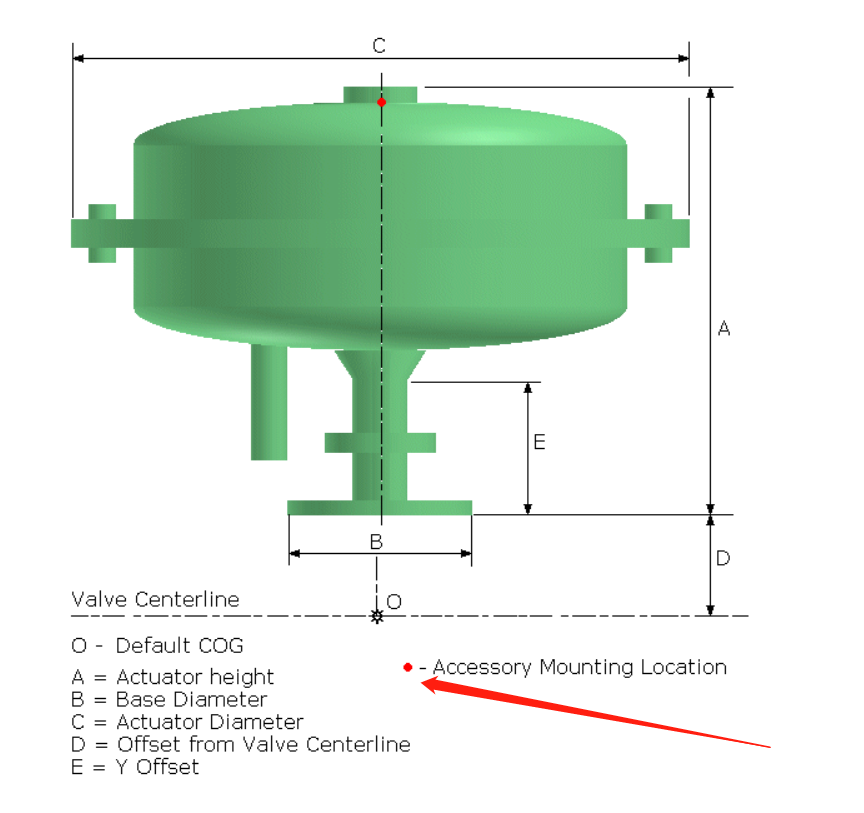
注意:multi port指的是accessory port。


您需要登录 或注册 后才可以发表评论。