
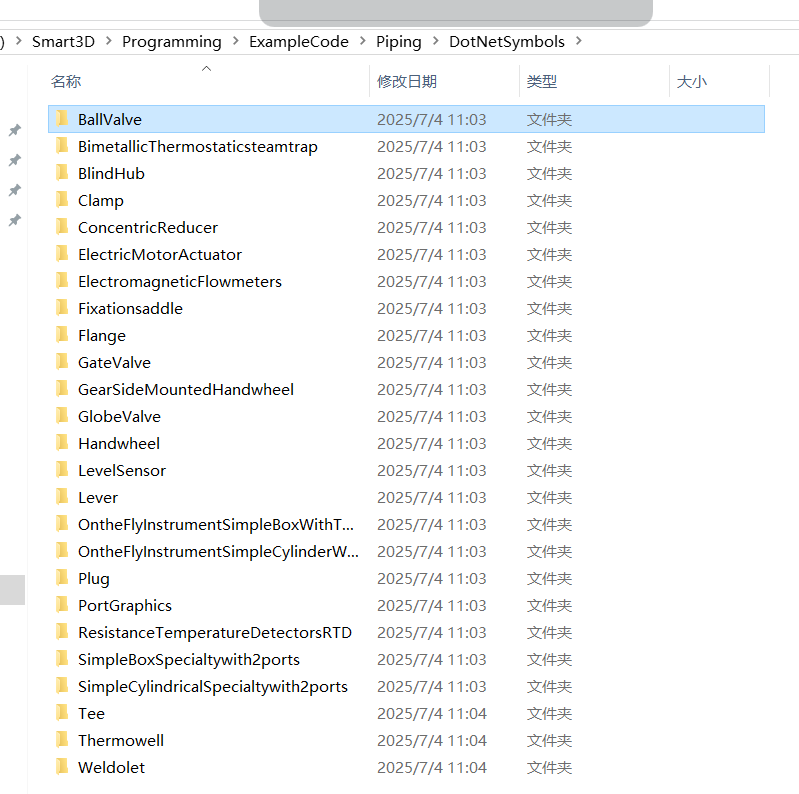
private void RunPDB2258(PipeComponent pipeComponent, SP3DConnection connection)
        {
            try
            {
                // Physical
                //Inputs
                //Initialize
                //Check if it is an On the Fly Symbol
                //Retrieve the parameters
                UtilityFunctions.GetPipingPortData(1, pipeComponent, out pipeDiam, out flangeThick, out flangeDiam, out sptOffset, out depth, true);
                UtilityFunctions.GetPipingPortData(2, pipeComponent, out pipeDiam2, out flangeThick2, out flangeDiam2, out sptOffset2, out depth2, true);
                //Assigning values when they are not given in the data
                double offsetFrmValCen = UtilityFunctions.CompareDoubleEqualTo(parOffsetFrmValCen, 0) ? 1.2 * pipeDiam : parOffsetFrmValCen;
                double valCenLineToBot = UtilityFunctions.CompareDoubleEqualTo(parValCenLineToBot, 0) ? 0.7 * pipeDiam : parValCenLineToBot;
                double facetoFaceLength = parFacetoFace - flangeThick - flangeThick2;
                //Create the cylinder on the port1 side.
                Position stPoint = new Position(-0.5 * facetoFaceLength, 0, 0);
                Position enPoint = new Position(-0.4 * facetoFaceLength, 0, 0);
                Projection3d cylinder = Graphics3D.CreateCylinder(stPoint, enPoint, pipeDiam, true);
                m_Physical.Outputs.Add("LeftCone", cylinder);
                //Create the cylinder on the port2 side.
                stPoint.Set(0.5 * facetoFaceLength, 0, 0);
                enPoint.Set(0.4 * facetoFaceLength, 0, 0);
                cylinder = Graphics3D.CreateCylinder(stPoint, enPoint, pipeDiam, true);
                m_Physical.Outputs.Add("ValveBody", cylinder);
                //Create a flange1 on the Port2 side
                stPoint.Set(0.1 * facetoFaceLength, 0, 0);
                enPoint.Set(0.15 * facetoFaceLength, 0, 0);
                cylinder = Graphics3D.CreateCylinder(stPoint, enPoint, 2 * valCenLineToBot, true);
                m_Physical.Outputs.Add("RightCone", cylinder);
                //Create a flange2 on the Port2 side
                stPoint.Set(0.15 * facetoFaceLength, 0, 0);
                enPoint.Set(0.2 * facetoFaceLength, 0, 0);
                cylinder = Graphics3D.CreateCylinder(stPoint, enPoint, 2 * valCenLineToBot, true);
      ......
相关阅读:
Intergraph Smart® 3D自定义命令部署方式及自定义工具条开发简述

您需要登录 或注册 后才可以发表评论。