
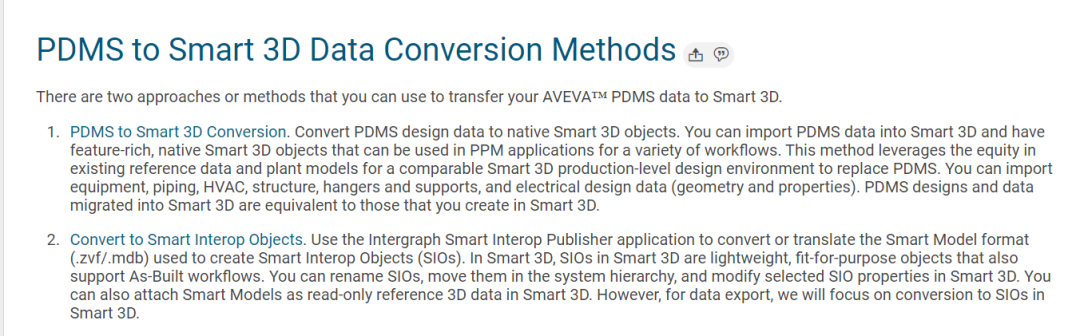
Which method should I use?
The method to use depends on your specific modeling requirements.The method to convert to native Smart 3D objects generates a fully intelligent model with full conversion of piping specifications. However, this method requires significant upfront investment to define compatible Smart 3D piping specifications and a compatible Smart 3D catalog. This method enables designers to continue designing a PDMS model within Smart 3D, and to take advantage of Smart 3D’s feature-rich design environment using PDMS data.
The conversion method using Smart Interop Publisher and SIOs provides a faster, lighter solution for PDMS data used in Smart 3D. The SIOs implemented with a common schema are not fully functional. You can incrementally convert different sections in a model for design reuse. Portions of the model can be referenced from different Smart 3D models. This conversion method lends itself more to model reviews and ‘walk-throughs’ during various design and construction phases rather than to model design.
Comparison:
|
Feature |
Import to PDMS Design Data to Smart 3D: define matching reference data via mapping, bulkload to Smart 3D catalog, and import PDMS data to Smart 3D |
Convert to SIOs: extract .zvf/.mdb2 files from PDMS with the Smart Interop Publisher utility |
|
Translation of graphic |
Native S3D when imported. |
Translated once and loaded to .mdb database file. |
|
Move, rotate, model |
Y – Move/rotate disconnected equipment or piping; rotate valves |
Y |
|
Scale |
N |
N |
|
Multiple files |
Y |
Y |
|
Data |
Y |
Y |
|
Object types |
Y |
Y |
|
Relationships |
Y |
Y – System child and piping connectivity only |
|
Modify objects |
Y |
Y – properties only; not geometry |
|
Delete objects |
Y |
Y |
|
Move, rotate objects |
Y |
Y – Move/rotate disconnected equipment or piping; rotate valves |

您需要登录 或注册 后才可以发表评论。