
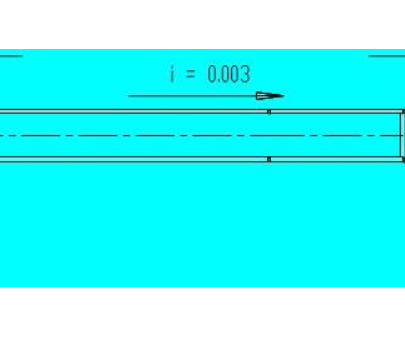
x x x x x x x x
x x x x x x x x x
x x x x x x x x
x x x x x x x x x
x x x x x x x x
x x x x x x x x x
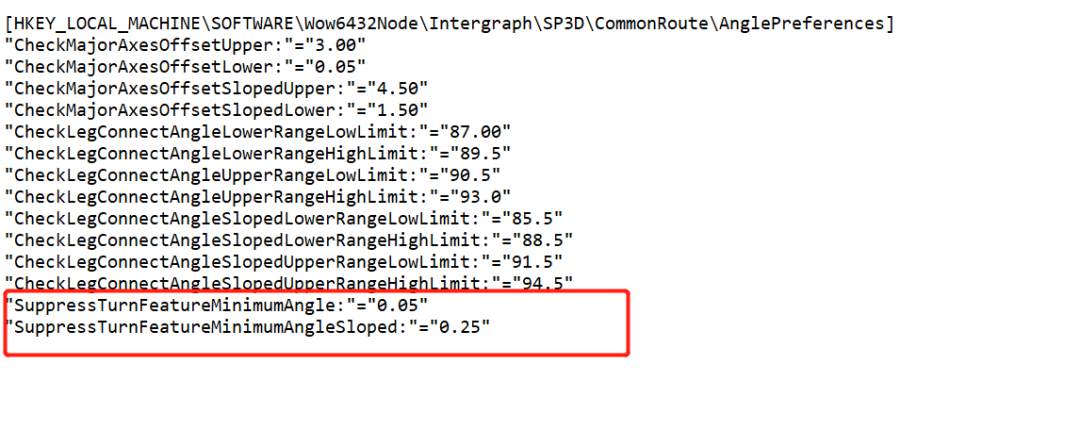
Windows Registry Editor Version 5.00
[HKEY_LOCAL_MACHINESOFTWAREWow6432NodeIntergraphSP3DCommonRouteAnglePreferences]
“CheckMajorAxesOffsetUpper:”=”3.00”
“CheckMajorAxesOffsetLower:”=”0.05”
“CheckMajorAxesOffsetSlopedUpper:”=”4.50”
“CheckMajorAxesOffsetSlopedLower:”=”1.50”
“CheckLegConnectAngleLowerRangeLowLimit:”=”87.00”
“CheckLegConnectAngleLowerRangeHighLimit:”=”89.5”
“CheckLegConnectAngleUpperRangeLowLimit:”=”90.5”
“CheckLegConnectAngleUpperRangeHighLimit:”=”93.0”
“CheckLegConnectAngleSlopedLowerRangeLowLimit:”=”85.5”
“CheckLegConnectAngleSlopedLowerRangeHighLimit:”=”88.5”
“CheckLegConnectAngleSlopedUpperRangeLowLimit:”=”91.5”
“CheckLegConnectAngleSlopedUpperRangeHighLimit:”=”94.5”
“SuppressTurnFeatureMinimumAngle:”=”0.05”
“SuppressTurnFeatureMinimumAngleSloped:”=”0.25”
x x x x x x x x
x x x x x x x x x
x x x x x x x x

您需要登录 或注册 后才可以发表评论。